How to Promote Your Local Business Online?
Learn how to find and choose promote your local business online with practical checks for reviews, pricing, quality, location, trust, and service before making a decision.
 Shrikant
Updated
Shrikant
Updated
Key Takeaways
- Compare multiple local options before choosing.
- Check reviews, ratings, pricing, photos, and business details.
- Avoid choosing only by the lowest price.
- Ask clear questions before booking or paying.
- Use DekhoBiz to discover local businesses and services.
Last Updated: June 2026
Quick Answer
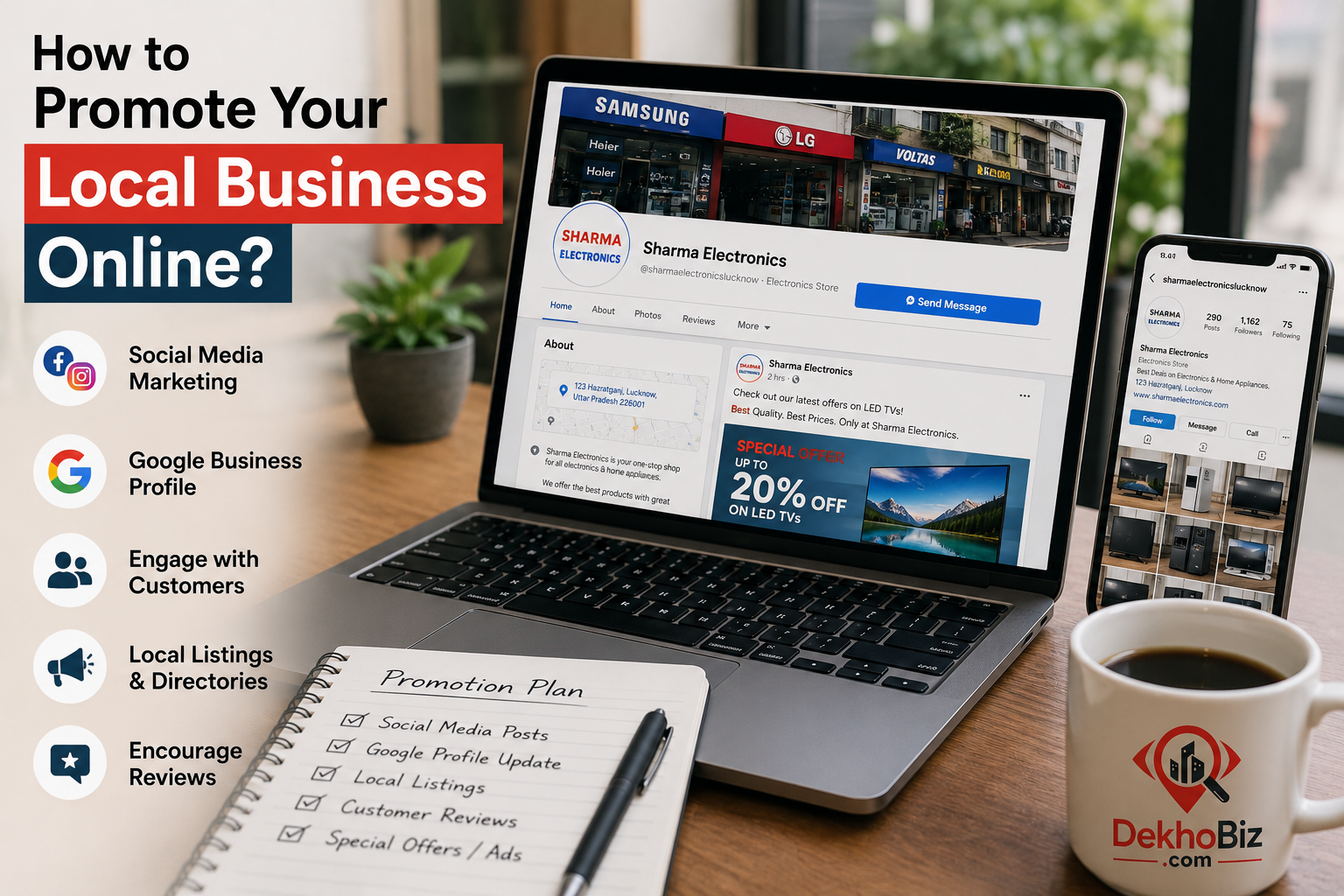
To promote your local business online, make your business easy to find, easy to trust, and easy to contact. Start by adding complete business details, sharing real photos, collecting customer reviews, and promoting your services on platforms where local customers are already searching.
A strong online presence helps local businesses get more visibility, more enquiries, and more walk-in customers. When customers can see your services, location, phone number, timing, reviews, and photos, they feel more confident before calling or visiting.
Key Takeaways
- Add your business to trusted local directories like DekhoBiz.
- Keep your business name, phone number, address, and timing updated.
- Ask happy customers to leave genuine reviews.
- Use real photos, service details, offers, and helpful updates to build trust.
- Promote your listing regularly through WhatsApp, social media, and local platforms.
Why Online Promotion Matters for Local Businesses
Online promotion matters because customers often search before they visit, call, or book a service. If your business is not visible online, nearby customers may choose another business that is easier to find.
When you promote your local business online, you help customers discover what you offer, where you are located, when you are open, and how they can contact you.
A complete online listing works like a digital visiting card. It gives customers useful information before they make a decision.
You can start by creating or improving your listing on DekhoBiz.
1. Add Complete Business Details
Complete business details help customers trust your business. Add your business name, category, services, address, phone number, opening hours, service area, and a clear description.
Use simple language that explains what you do and who you help. Avoid vague lines like “best service” without details. Instead, mention your actual services, customer benefits, location, and contact information.
If you want to promote your local business online effectively, make sure your details are accurate everywhere. Wrong phone numbers, old addresses, or missing timings can make customers choose another business.
2. Use Real Photos and Proof
Real photos build trust faster than plain text. Customers feel more confident when they can see your shop, office, products, team, work samples, menu, service area, or completed projects.
For example, a restaurant can add food and seating photos, a salon can add service photos, a coaching class can add classroom photos, and a repair shop can add photos of tools or work areas.
Use original and clear photos. Avoid unrelated stock images because they may reduce trust.
3. Collect Customer Reviews
Customer reviews help local businesses grow because they act as trust signals. When new customers see genuine feedback, they feel more confident before calling, visiting, or booking a service.
Ask satisfied customers to write honest reviews about your service, product quality, staff behavior, pricing, delivery, or overall experience.
Reviews can also help people compare your business with other local options. You can learn more from Google’s official guide on business reviews.
4. Promote on Local Platforms
Local platforms help your business reach nearby customers. Add your business to directories, share your listing link on WhatsApp, post updates on social media, and mention your services clearly.
DekhoBiz helps users discover local shops, service providers, professionals, and businesses in one place. A complete listing can make your business easier to find online.
If you want to promote your local business online, share your DekhoBiz listing link with existing customers, local groups, and social media followers.
8. Offer Clear Services and Pricing
Customers prefer businesses that explain services clearly. If your services, packages, or pricing are confusing, people may avoid contacting you.
Mention what you offer, what is included, and whether customers need to call for exact pricing. If exact prices are not possible, you can mention starting prices or “contact for quote”.
Clear information saves time for both the customer and the business owner.
Quick Online Promotion Checklist
| Promotion Step | Why It Matters | What to Do |
|---|---|---|
| Business Listing | Helps customers find your business online | Add complete details on DekhoBiz |
| Photos | Builds trust and improves listing quality | Upload real photos of your business and work |
| Reviews | Helps new customers trust your business | Ask happy customers for honest feedback |
| Social Sharing | Increases local reach | Share your listing on WhatsApp and social media |
| Quick Response | Improves chances of getting customers | Reply clearly to calls and messages |
Common Mistakes Local Businesses Make Online
Many businesses lose enquiries because their online presence is incomplete or outdated. Avoid these mistakes when you promote your local business online:
- Using incomplete or outdated contact details.
- Not adding real business photos.
- Ignoring customer reviews.
- Not replying to enquiries quickly.
- Using unclear service descriptions.
- Not listing the business on local directories.
- Posting once and never updating business details.
- Not sharing the listing link with customers.
How DekhoBiz Helps Local Businesses
DekhoBiz helps local businesses improve online discovery by giving them a place to show business details, services, contact information, photos, and customer-friendly information.
If you want more people to find your business, you can add your business on DekhoBiz and keep your listing updated.
A clear DekhoBiz listing can help customers understand what your business offers, where you are located, and how they can contact you.
Final Thoughts
To promote your local business online, focus on visibility, trust, reviews, clear details, regular updates, and quick response. Local customers prefer businesses that are easy to find, easy to understand, and easy to contact.
Start with a complete online listing, keep your details updated, and use platforms like DekhoBiz to reach more people searching for local businesses and services.
Frequently Asked Questions
You can choose promote your local business online by checking reviews, business details, pricing, location, service quality, and customer feedback. Compare multiple options before booking, visiting, or making payment.
Reviews show real customer experiences. They help you understand service quality, pricing, behavior, reliability, and common problems before choosing a local business.
No. The cheapest option is not always the best. Compare price with quality, trust, support, experience, and included services before making a decision.
Check the business name, address, phone number, working hours, photos, services, reviews, and pricing information. Complete details make the business easier to trust.
DekhoBiz helps customers discover local businesses, shops, and services in one place. It makes comparison easier and helps users make better local decisions.

Shrikant
DekhoBiz publishes practical local business guides, directory updates, and visibility tips for Indian businesses.